Draw and Animate Loading Spinner with GPUI
This series of articles shares the learnings while I’m building Beam - A native GUI HTTP client written in Rust
In the last post Drawing Basic Shapes with GPUI Canvas I shared about the gpui’s Canvas APIs with the usages, and drew a few basic shapes - line, rectangular, arc and circle. In the end of the article, I left a teaser:
Now we know how to draw an arc, we can draw a spinner loading icon together with
with_animationfunction. We just need to calculate the start point and endpoint position based on theprogressfrom theanimatorparameter inwith_animation.
To animate a shape, gpui provides
with_animation
function which renders the component or element with an animation. The function
signature
fn with_animation(
    self,
    id: impl Into<ElementId>,
    animation: Animation,
    animator: impl Fn(Self, f32) -> Self + 'static,
) -> AnimationElement<Self>
The animation and animator are the centerpieces here.
Animation is an
animation that can be applied to an element.
pub struct Animation {
    pub duration: Duration,
    pub oneshot: bool,
    pub easing: Rc<dyn Fn(f32) -> f32>,
}
animator as the name suggests, is how to animate the element(s). It takes in
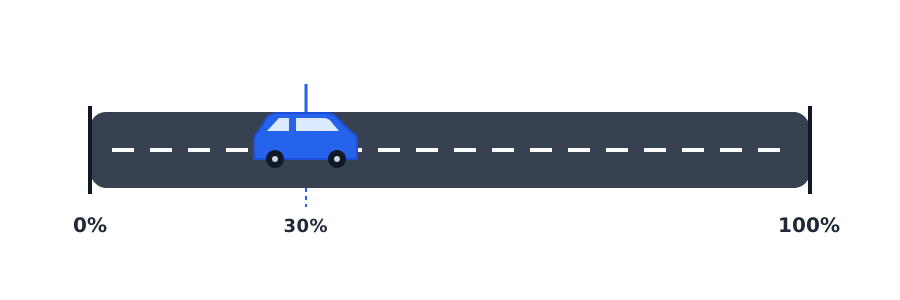
progress. progress is a value an element moves between the range
of 0% - 100% over the specified duration. Think of a car moving from point A to
point B, where point A is the 0% and point B is 100% of the journey. In the
below illustration, the car moves to the 30% position of the range, so the
progress here is 0.3.
Now we know the animator works, we just need to draw the arc given the progress
from the Animation, so it’ll look it’s spinning. We can borrow the code from Drawing Basic Shapes with GPUI Canvas.
First, lets set some basics, like color of the arc, center point, and arc radius.
let color = rgb(0x89b4fa);
let center = point(bounds.center().x, bounds.center().y);
let radius = px(20.);
Since the spinner has a gap in the circle, we can define a sweep_angle that’s
between π and 2π. Say 1.8π, so the 0.2π will be the gap.
let sweep_angle = std::f32::consts::PI * 1.8;
Now we can calculate the start angle and end angle of the spinner loader. Based
on the aforementioned progress we know where the start should be in the arc, as a
circle is 2π, the start should be progress * 2π.
let start_angle = progress * std::f32::consts::TAU;
let start = point(
    center.x + radius * start_angle.cos(),
    center.y + radius * start_angle.sin(),
);
Similar for the end in the arc, the end is based on the start and the sweep angle.
let end_angle = start_angle + sweep_angle;
let end = point(
    center.x + radius * end_angle.cos(),
    center.y + radius * end_angle.sin(),
);
Then we can draw the arc according to the start and end.
let mut spinner = PathBuilder::stroke(px(5.0));
spinner.move_to(start);
spinner.arc_to(point(radius, radius), px(0.0), true, true, end);
if let Ok(path) = spinner.build() {
    window.paint_path(path, color);
}
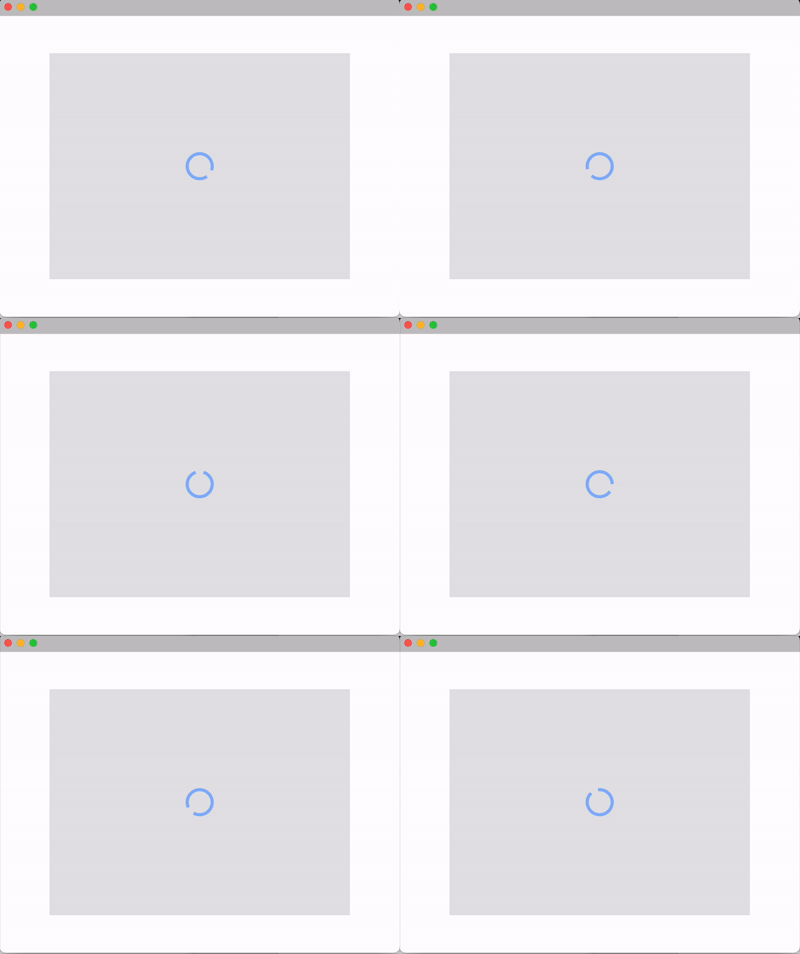
Now you know how to draw and animate a spinner loader.
Recap
To animate a shape, we just need to draw the shape at each progress percentage provided by the animator within the time duration that we specified. You can tinker the duration or sweep angle to adjust the style of the spinner loader.
What else
Till now, the shapes we draw all have the same stroke size. How can we draw spinner with different stroke size or with color gradient?